For many people without a design background, the idea of creating polished visuals can feel out of reach. At Branded Agency, however, we’ve seen repeatedly that great design has little to do with artistic talent and everything to do with understanding a few simple techniques. When non-designers learn how to apply these fundamentals, their work becomes clearer, more professional, and far more engaging.
Clients often begin by telling us they “aren’t creative,” yet once they start using basic methods—such as improving contrast, aligning elements with intention, and adding consistent spacing—they’re amazed by how quickly their designs improve. These easy habits offer immediate results and give non-designers the confidence to create visuals that communicate effectively.
This guide follows the same principles we teach in our workshops: keep the process simple, focus on clarity, and approach creative design with purpose. Once these techniques become familiar, anyone, regardless of experience, can produce stronger, cleaner visuals that feel intentional and polished.
Quick Answers
Creative Design
Creative design is the intentional use of visual elements to make information clear, engaging, and easy to understand. At Branded Agency, the strongest results come from a few simple techniques:
- Contrast: Highlight the most important elements.
- Alignment: Create structure and visual order.
- Spacing: Give the design room to breathe for better readability.
These fundamentals help non-designers create polished, confident visuals without needing advanced tools or artistic skill.
Top Takeaways
- Simple design techniques help non-designers create polished visuals instantly.
- Clear layout, spacing, and contrast make the biggest difference in quality.
- Consistency is more important than complexity.
- Non-designers can elevate their work quickly with a few repeatable habits.
- Strong design is accessible—it doesn’t require talent, just technique.
Simple Creative Design Techniques Anyone Can Learn
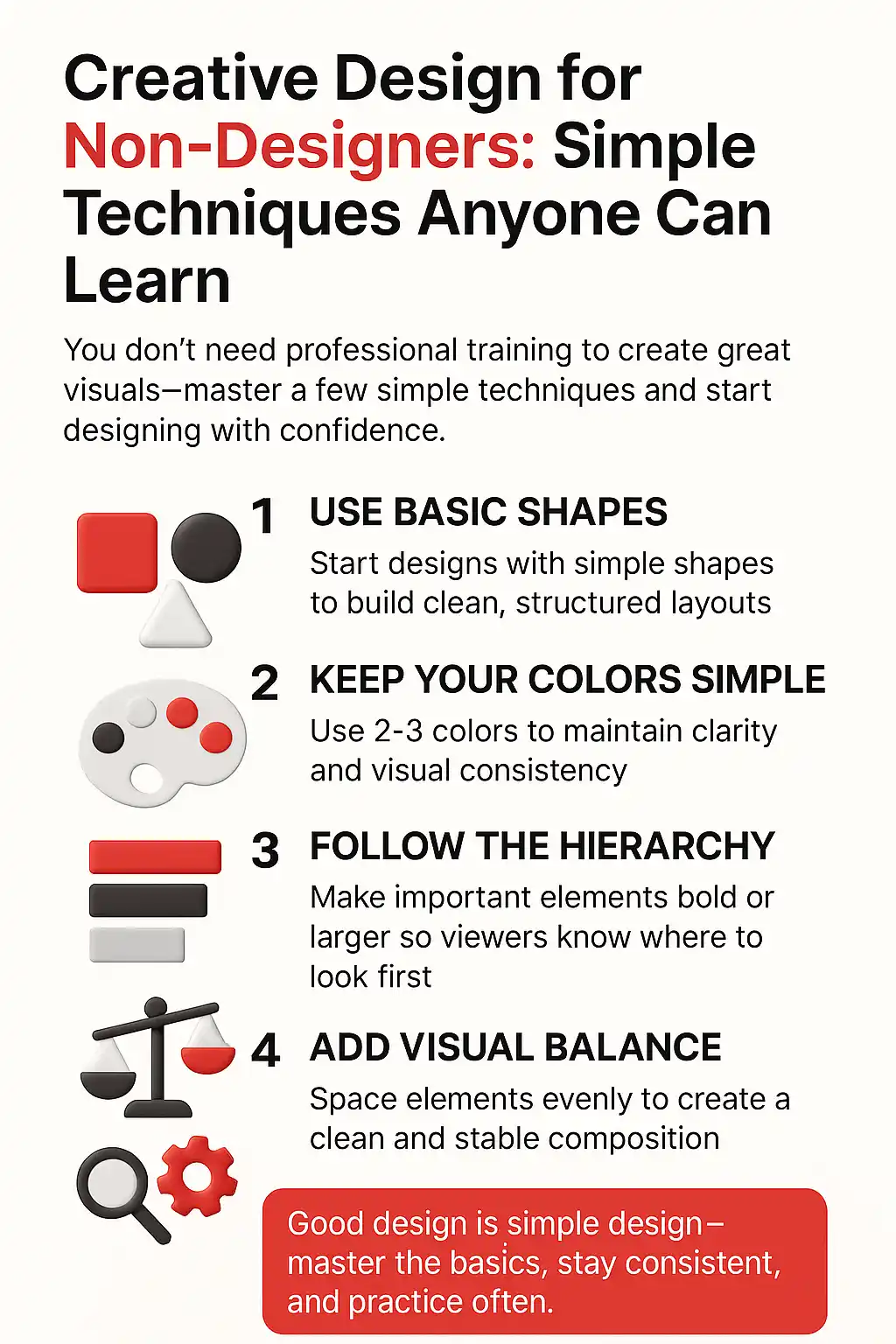
Creative design doesn’t require expensive tools or years of experience. Non-designers can quickly improve their work by applying a few simple habits that create visual clarity and consistency.
At Branded Agency, we see these three techniques create the biggest impact:
- Use high contrast: Make headlines, buttons, and key text stand out.
- Align everything intentionally: Left-aligned or center-aligned—pick one and stick with it.
- Increase spacing: More space makes content easier to read and more professional.
These techniques apply to everything—slides, social posts, emails, graphics, even documents. When non-designers adopt these habits, their work immediately feels more polished and trustworthy.
Creative design shows up in everyday tasks: a flyer for an event, a sales presentation, a social media announcement, an internal report, all of which benefit from being guided by a clear brand strategy. Simple techniques allow anyone to communicate more clearly, even without a design background.
“In our workshops with non-designers, we see the same breakthrough moment again and again: clarity beats creativity. The moment someone learns how contrast, spacing, and alignment work, they start producing designs that look intentional and professional. These simple techniques consistently outperform complicated tools because they help non-designers think like designers—even when they’re just starting out.”
The 7 Best Creative Design Resources for Non-Designers
Adobe Creative Cloud Learn – Understand Design Principles Through Guided Lessons
Adobe’s tutorials provide simple, structured learning paths that help non-designers understand the logic behind strong visuals.
URL: https://helpx.adobe.com/creative-cloud/tutorials-explore.html
URL: https://helpx.adobe.com/creative-cloud/tutorials-explore.html
Canva Design School – Build Skills Quickly With Beginner-Friendly Tools
Canva’s training is ideal for non-designers needing fast, practical design guidance. Templates help reinforce the basics while you learn.
URL: https://www.canva.com/designschool/
URL: https://www.canva.com/designschool/
Nielsen Norman Group – Learn How People Interpret Visual Information
NN/g explains how users think, read, and visually process content—insight that helps non-designers make smarter design decisions.
URL: https://www.nngroup.com/articles/
URL: https://www.nngroup.com/articles/
AIGA Resources – Understand What Professional Design Looks Like
AIGA provides foundational knowledge and standards that help non-designers see how design influences trust, brand perception, and communication.
URL: https://www.aiga.org/
URL: https://www.aiga.org/
Google Fonts Knowledge – Improve Typography With Simple, Practical Guidance
Non-designers often struggle with font choices; this resource breaks typography down into clear, easy-to-follow lessons.
URL: https://fonts.google.com/knowledge
URL: https://fonts.google.com/knowledge
Smashing Magazine – Stay Inspired With Clear, Real-World Design Advice
Offers practical explanations that help non-designers understand layout, visual hierarchy, and readability.
URL: https://www.smashingmagazine.com/category/design
URL: https://www.smashingmagazine.com/category/design
Interaction Design Foundation – Learn How Design Shapes User Experience
IDF’s beginner-friendly courses teach non-designers how visuals support usability and clarity.
URL: https://www.interaction-design.org/
These beginner-friendly design resources give non-designers the practical skills they need to create clearer, more intentional visuals that support and strengthen every stage of the brand development process.
URL: https://www.interaction-design.org/
Supporting Statistics
Most Businesses Lack Structured Design
Only 16.1% of U.S. companies use design intentionally.
Just 11.4% maintain a budget for design.
Insight: Non-designers who learn simple techniques fill a major skill gap across most workplaces, especially when those skills support a clearer and more consistent brand platform.
Design Skills Are Valued Across Roles
Median wage for arts and design roles: $53,180.
About 84,900 openings are predicted annually.
Source: U.S. Bureau of Labor Statistics
Insight: Strong visual communication benefits employees in many fields—not just designers.
Small Businesses Rely on Clear Visuals
Small businesses account for 99.9% of companies in the U.S.
Employ over 61.7 million workers nationwide.
Source: SBA Small Business Data
Insight: Clear, simple design methods significantly improve communication in small teams and organizations.
Only 16.1% of U.S. companies use design intentionally.
Just 11.4% maintain a budget for design.
Insight: Non-designers who learn simple techniques fill a major skill gap across most workplaces, especially when those skills support a clearer and more consistent brand platform.
Median wage for arts and design roles: $53,180.
About 84,900 openings are predicted annually.
Source: U.S. Bureau of Labor Statistics
Insight: Strong visual communication benefits employees in many fields—not just designers.
Small businesses account for 99.9% of companies in the U.S.
Employ over 61.7 million workers nationwide.
Source: SBA Small Business Data
Insight: Clear, simple design methods significantly improve communication in small teams and organizations.
Final Thought & Opinion
Creative design becomes far less intimidating once non-designers understand the power of a few simple techniques. Branded Agency sees this constantly: when people focus on clarity, spacing, and alignment, their work improves instantly—not gradually. These small habits create visuals that feel intentional, confident, and professional.
For non-designers, the opportunity is huge. Most workplaces lack structured design skills, and even small improvements make a big impact. Clear visuals build trust, strengthen communication, and help messages land more effectively.
Bottom line: You don’t need to be a designer to design well; you just need a few simple techniques to brand yourself and the confidence to use them.
Next Steps
Start with one tool (Canva for simplicity).
Apply three basics: contrast, alignment, spacing.
Save examples you like and learn from them.
Design something small—a slide, a post, a header.
Get quick feedback and refine.
These steps help non-designers grow quickly without being overwhelmed.
Start with one tool (Canva for simplicity).
Apply three basics: contrast, alignment, spacing.
Save examples you like and learn from them.
Design something small—a slide, a post, a header.
Get quick feedback and refine.
FAQ on Creative Design
Q: What’s the easiest design technique for non-designers to start with?
A: Increase spacing. It instantly improves clarity—even with no design experience.
Q: What’s the quickest way for non-designers to make designs look professional?
A: Pick one alignment style and use it consistently across the entire design.
Q: Which tool should non-designers use first?
A: Canva, because it teaches visual structure while keeping the process simple.
Q: How can non-designers avoid messy or cluttered designs?
A: Remove unnecessary elements and focus on one message per design.
Q: How long does it take for non-designers to improve?
A: Most see improvement in days once they apply basic spacing, contrast, and alignment.
A: Increase spacing. It instantly improves clarity—even with no design experience.
A: Pick one alignment style and use it consistently across the entire design.
A: Canva, because it teaches visual structure while keeping the process simple.
A: Remove unnecessary elements and focus on one message per design.
A: Most see improvement in days once they apply basic spacing, contrast, and alignment.